
Forum Replies Created
-
AuthorPosts
-
WebbSpotsKeymasterNovember 2, 2025 at 12:20 pmPost count: 21in reply to: CSS Hacks for use in Avada #3827
Add this to a container or column to blur the background.
.my-blur {
backdrop-filter:blur(25px)
}WebbSpotsKeymasterNovember 2, 2025 at 10:46 amPost count: 21in reply to: Blur on Containers with Overlaps Not Blurred #3819Want just the column holding text/title (over a clear image) blurred?
Use css
.my-blur {
backdrop-filter:blur(25px)
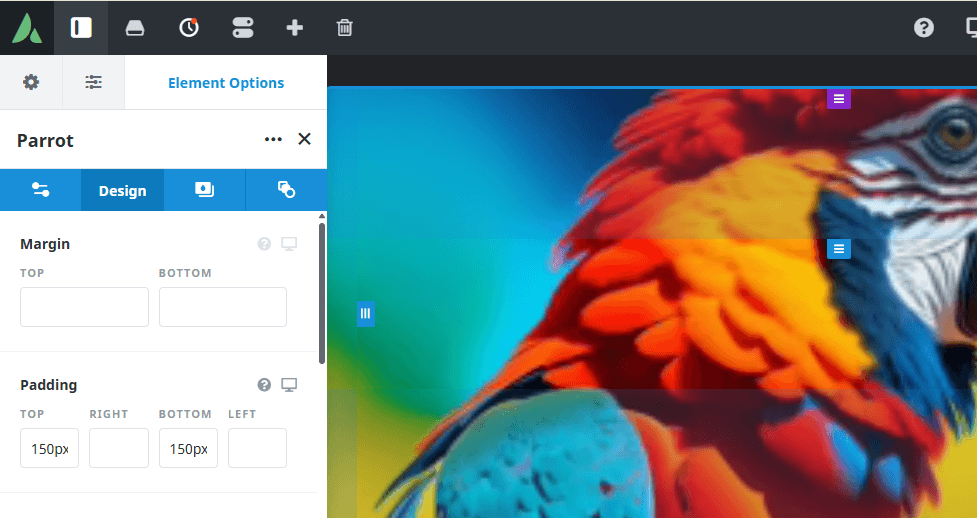
}Add a container with a background image. Set padding to display the image as you require.

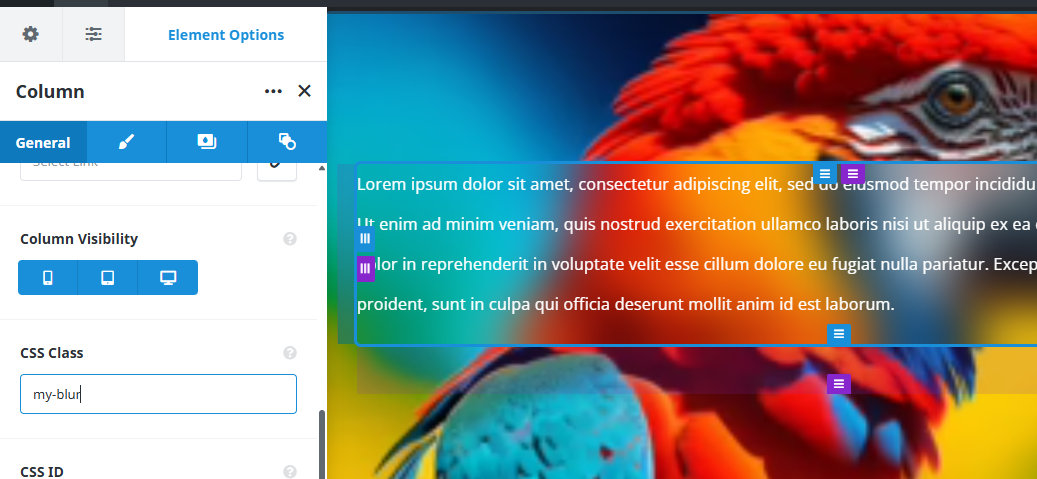
Add a column with a css class that matches the css you are using. Add a text box (or whatever you want to display with the blurred background) to the column.

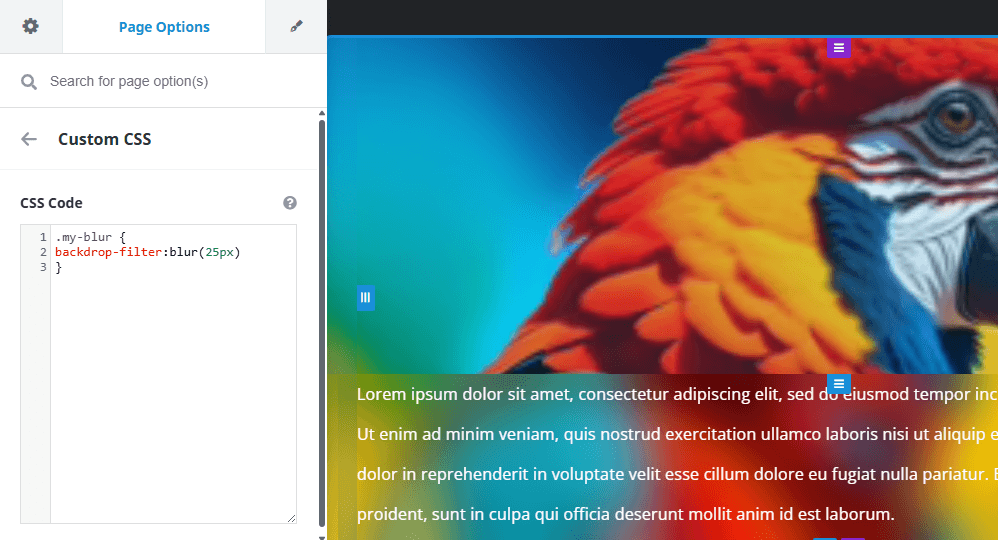
Add CSS to either Avada/Options/Custom CSS or to the Page CSS:

Result is a clear image, column that is blurred and clear text over it.
Thanks to Stephen Walker for the clean css to accomplish this!
WebbSpotsKeymasterSeptember 9, 2025 at 8:36 amPost count: 21in reply to: CSS Hacks for use in Avada #3647Form Styling css from a Facebook Avada Users Group member, Lizza Alli.
Avada Forms checkboxes are really not checkboxes at all! To use a checkmark in the box some additional styling is needed, adjust to your preference for color and sizing:.my-checkbox .fusion-form-checkbox label{
padding-left:25px!important;
}
.my-checkbox .fusion-form-checkbox label:before {
height:20px!important;
min-width:20px!important;
}
.my-checkbox .fusion-form-checkbox input:checked+label:before{
background: var(–awb-form-focus-border-color);
}
.my-checkbox .fusion-form-checkbox input:checked+label:after{
left: 5px!important;
top: 2px!important;
width: 5px!important;
height: 15px!important;
background:initial!important;
border: solid #ffffff!important;
border-width: 0 2px 2px 0!important;
transform: rotate(45deg)!important;
}

- This reply was modified 5 months, 3 weeks ago by WebbSpots.
WebbSpotsKeymasterSeptember 2, 2025 at 7:56 amPost count: 21in reply to: CSS Hacks for use in Avada #3532We use Avada Postcards for showing products, posts and portfolios. There is an included filter function.
The basic filters are a row of text. To dress it up a bit our friend, Stephen Walker, adds a bit of css:.filtered-cards {
padding:1.8rem 2rem;
}
.filtered-cards .fusion-filters{
margin-bottom:2rem;
}
.fusion-filter {
margin-inline:0;
}
.fusion-filter a{
padding:4px 12px;
color:black!important;
font-size:1rem!important;
font-weight:400!important;
background-color:transpareent;
border:1px solid lightgray;
border-radius:0;
}
.fusion-filter a:hover{
background-color:transparent;
color:black;
}
.fusion-filter.fusion-active a{
border:1px solid lightgray!important;
background-color:rgba(0,0,0,.1);
color:rgb(131, 64, 102)!important;
line-height:inherit;
}
.fusion-filter.fusion-active a:hover{
background-color:transparent;
color:var(–awb-color7)!important;
}
WebbSpotsKeymasterAugust 26, 2025 at 6:53 amPost count: 21in reply to: CSS Hacks for use in Avada #3521We use Woo with Avada. Sometimes needs a nudge to get the look we like. Woo menu cart is one example where the theme colors need some help!
In Avada Custom CSS we add a hover color to match our theme to that element:
.fusion-menu-cart .awb-menu__sub-ul_main a:hover {
background-color: #000000;
}.awb-menu .fusion-menu-cart-checkout:hover {
background-color: #000000;
}- This reply was modified 6 months, 1 week ago by WebbSpots.
WebbSpotsKeymasterAugust 26, 2025 at 6:49 amPost count: 21in reply to: CSS Hacks for use in Avada #3520Lets help Avada with Woo custom checkout align the checkout order review fields and define the radio buttons. Lets also give the radio button a theme matched color.
In the page css:
.fusion-woo-checkout-order-review-tb ul li label:before, .fusion-woo-checkout-payment-tb ul li label:before {
border: 1px solid #000;
}
.fusion-woo-checkout-order-review-tb ul li input:checked+label:after, .fusion-woo-checkout-payment-tb ul li input:checked+label:after {
background: blue;
}.fusion-woo-checkout-shipping-tb .checkbox span:before, .fusion-woo-checkout-tabs-tb.woo-tabs-titles-disabled .checkbox span:before {
border: 1px solid;
border-color: #000000;
}
.checkout .shop_table tfoot th {width: 50%;
text-align: left;}
.checkout .shop_table tfoot td label {
display: block;
}- This reply was modified 6 months, 1 week ago by WebbSpots.
WebbSpotsKeymasterAugust 26, 2025 at 6:41 amPost count: 21in reply to: CSS Hacks for use in Avada #3519New to me today!
Title with rotating text set to bounce doesn’t center and linebreak on mobile.
This does the trick.
add to css in title element: rotating-title-mobile
@media only screen and (max-width:800px){
.rotating-title-mobile .fusion-animated-text, .rotating-title-mobile span.line1{
white-space:normal !important;
}}- This reply was modified 6 months, 1 week ago by WebbSpots.
WebbSpotsKeymasterApril 27, 2025 at 9:37 amPost count: 21in reply to: Favorite Builder #2371We also have several websites that are based on blocks using default WordPress themes. 2025 Block designs are more limited than some of our other builders. We do basic designs using blocks and WordPress themes. More customized designs require a builder that allows for fully fledged designing.
WebbSpotsKeymasterApril 27, 2025 at 8:52 amPost count: 21in reply to: Favorite Builder #2362Elementor.com is another builder we have experience with. The client already had a website designed by a friend using the free version. We stayed with it although it after the learning curve with Elementor’s interface. It took additional plugins, code snippets and css to achieve a really custom website.
Another client already had a custom Divi website built by a designer. The designer was not responsive to continuing with the client’s needs to flesh out the site after it was designed. We were recommended by others in our circle of clients to help with this project. After the initial shell shock of learning another new builder it has been fun seeing what we can do, again with plugins, code snippets and css.
WebbSpotsKeymasterApril 27, 2025 at 8:41 amPost count: 21in reply to: Favorite Builder #2361We prefer content via email but will use whatever method the client is comfortable with. Social media messaging works well for one of our clients with ‘special’ follow-up images in email to keep a transparent background.
-
AuthorPosts